accounting
QuickBooks Online Review 2026
Hands-on QuickBooks Online review for small service businesses: setup reality, reporting value, integration pitfalls, and when it is the right fit.
Shanin
Last updated March 3, 2026
Founder of Iconic Landscaping, using these tools in real-world operations.
Pros
- ✓Reliable SMB bookkeeping foundation with strong accountant familiarity
- ✓Useful financial reporting for operational decision-making
- ✓Good stack fit when integration ownership is clearly defined
Cons
- ✕Integration mapping errors can create duplicate-counting confusion
- ✕Interface can feel dense for first-time accounting users
- ✕Support quality can vary by plan tier
Who This Review Is For
This review is for owners who need dependable bookkeeping without hiring a full accounting department too early.
If you run a service business with recurring expenses, payroll, and frequent invoicing, QuickBooks Online is often the practical default. It is familiar to accountants, widely supported, and capable enough for most SMB finance workflows.
What matters is not just whether QuickBooks can track numbers. What matters is whether your team can keep the books clean while operations move fast.
“QuickBooks is worth it when it becomes your financial source of truth, not just another app you sync and hope for the best.”
The biggest failures are almost always process failures, not feature failures.
Usage Snapshot
The strongest advantage is reliability. QuickBooks is rarely flashy, but it keeps financial records organized in a way most SMB teams and advisors can work with.
What It’s Actually Like To Use
Setup is manageable, but quality depends on chart-of-accounts decisions and integration mapping early on. If these are sloppy, downstream reporting becomes noisy.
Daily use feels straightforward once categories and routines are defined. For owners, the interface gives enough visibility into cash movement, expenses, and margin trends to guide operating decisions.
What helped most was treating bookkeeping rhythm as an operations cadence, not a once-a-month cleanup event. When categories are reviewed continuously and owner-level metrics are checked weekly, surprises shrink and decision confidence rises.
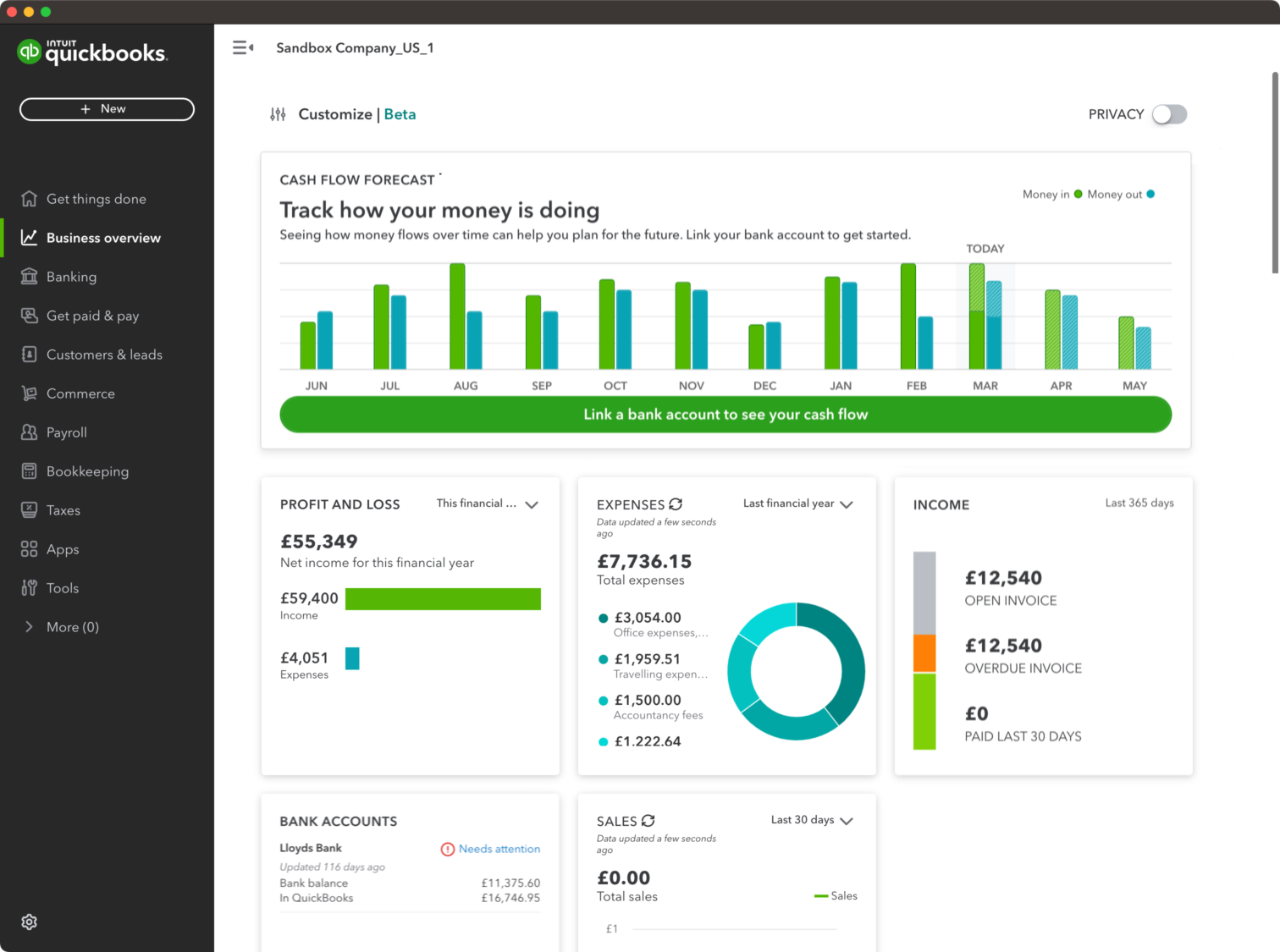
Where QuickBooks performs well:
- core bookkeeping consistency,
- accountant compatibility,
- report availability for real management use.
Where it can feel heavier:
- interface density for beginners,
- integration hygiene needs,
- support experience varying by plan level.
Where It Falls Short
QuickBooks has a common failure mode in stack-heavy setups: duplicate counting or mismatched entries when integrations are not governed tightly.
In practical terms, if Jobber, Gusto, and QuickBooks are all posting overlapping data, reports can look right at a glance but be wrong operationally. This is why ownership and mapping rules matter.
Another limitation is support variability. Lower tiers can feel slower for complex troubleshooting, while higher tiers often provide a better support experience.
QuickBooks can also feel overwhelming for first-time owners who have never managed accounting structure before. It is not hard forever, but there is a learning period.
That learning period matters. If a team assumes software alone will produce clean books, they usually end up with confusing reports and late rework. QuickBooks performs best when somebody owns data quality intentionally.
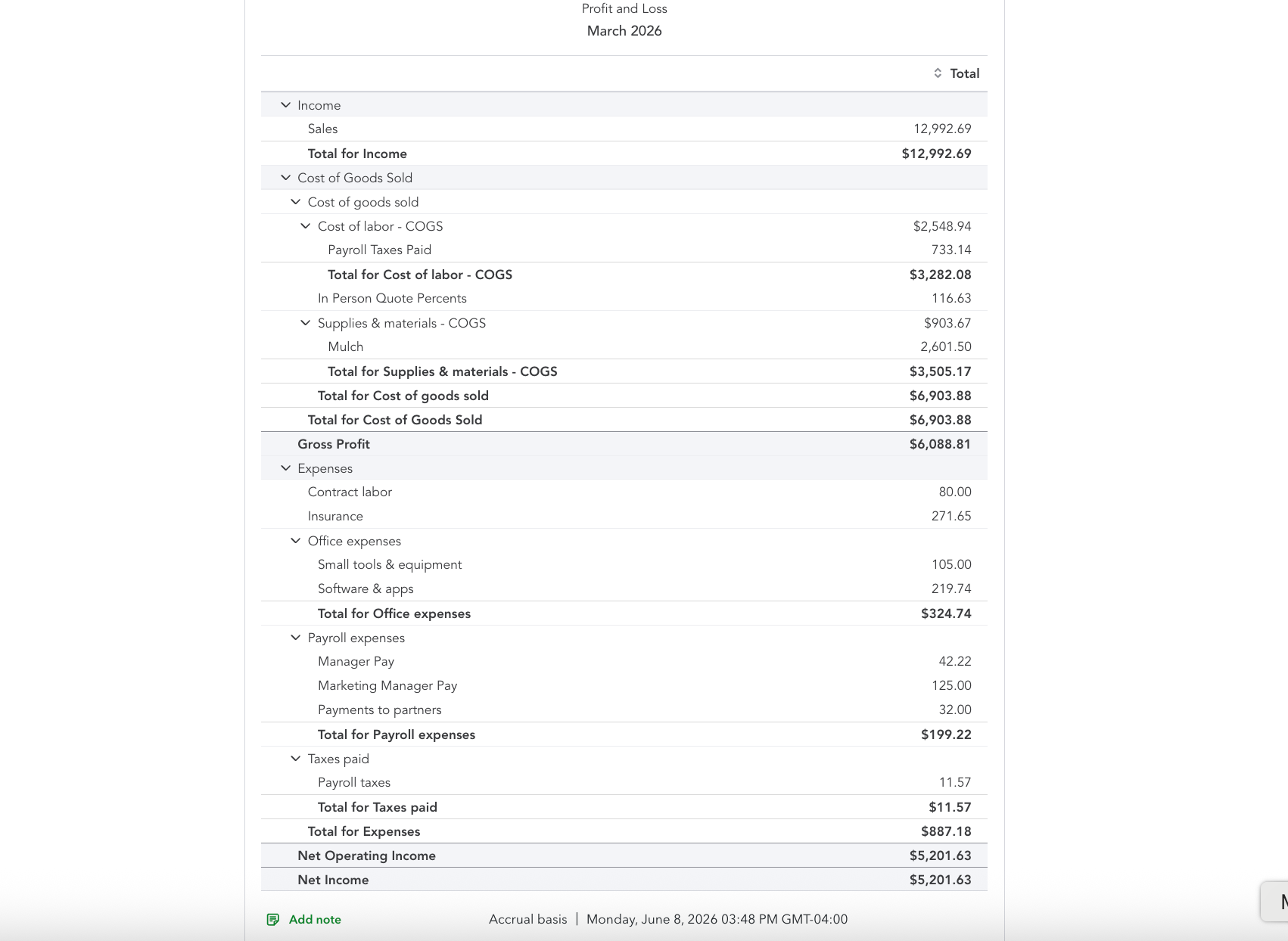
Pricing and Value Caveats
QuickBooks is typically affordable relative to what it replaces, but plan costs and add-ons can rise as needs grow.
Evaluate value based on total outcome:
- book accuracy,
- reporting clarity,
- tax prep readiness,
- reduced cleanup time.
In most cases, the platform is worth it if you pair it with disciplined reconciliation and clear integration rules.
Always verify current pricing and plan inclusions directly before committing.
One useful rule is to assign a monthly "books confidence score" internally. If reconciliation lag, uncategorized transactions, and integration anomalies are trending up, you are paying for software without realizing its full value.
Choose This If / Skip This If
To connect this with operations, read Jobber Review and Gusto Review. For buyer-stage comparison behavior, use Gusto vs ADP as an example of decision framing.
See the full stack logic in The Complete Software Stack We Use.
If you want faster adoption, document one-page accounting rules for your team: how expenses are categorized, when reconciliations happen, and who resolves sync mismatches. That small playbook often removes most QuickBooks frustration.
Verdict + Next Reads
QuickBooks Online remains a strong default accounting recommendation for most service SMBs because it is reliable, familiar, and practical.
Its biggest downside is not feature weakness. It is that poor integration and reconciliation habits can hide financial errors until they become expensive.
If you set ownership clearly and run a weekly finance rhythm, QuickBooks delivers a lot of value for the cost.
For most operators, the question is not whether QuickBooks can work. The question is whether your team will run the discipline that makes it work. If yes, it remains one of the safest accounting foundations for a growing service business.
When owners review the same few reports consistently and tie them to weekly decisions, QuickBooks becomes a growth tool rather than just a compliance requirement.
That is the practical unlock: better financial visibility leads to better operational decisions, which is where the software pays for itself.
Next reads:
Product Screenshots
Frequently Asked Questions
Does QuickBooks work with Jobber and Gusto?
Yes, but integration mapping requires care. Without clear ownership and reconciliation habits, duplicate entry issues can appear.
Is QuickBooks worth it for a service business?
Usually yes. For teams with recurring expenses and payroll complexity, it provides reliable reporting and tax-ready records.
Can I use lower QuickBooks plans long-term?
Sometimes. Lower plans can be enough for basic workflows, but support and advanced needs may push growing teams to higher tiers.
What is the biggest QuickBooks mistake small businesses make?
Treating integrations as set-and-forget. Early reconciliation and ownership rules are critical for clean books.
Related Reviews
Jobber
Operator-focused Jobber review with real team workflow notes: role-based operations, location tracking, quoting flow, payments, and scaling limits.
Claim Jobber Bonus
ADP Run
ADP Run review for small business owners comparing complexity, pricing transparency, and fit versus simpler payroll tools.
Visit Official Site
Gusto
Hands-on Gusto review from a service-business owner: setup speed, weekly payroll workflow, pricing tradeoffs, and when to choose alternatives.
$100 Visa Gift Card