payroll
Gusto Review 2026
Hands-on Gusto review from a service-business owner: setup speed, weekly payroll workflow, pricing tradeoffs, and when to choose alternatives.
Shanin
Last updated March 3, 2026
Founder of Iconic Landscaping, using these tools in real-world operations.
Pros
- ✓Clean recurring payroll workflow with strong first-time-owner usability
- ✓Automatic tax filing/pay support for supported jurisdictions
- ✓Employee self-service and onboarding reduce office interruptions
Cons
- ✕Per-employee pricing can rise as headcount grows
- ✕Some advanced reporting and HR features are on higher tiers
- ✕Complex enterprise edge cases may need specialized depth
Who This Review Is For
This review is for owners running a real team and trying to avoid payroll chaos, not for people browsing feature lists. If you have hourly workers, weekly payroll pressure, and limited admin time, Gusto is usually the first platform I recommend testing.
In practical terms, Gusto is strongest for small to mid-size service teams that need payroll to be repeatable every week. It is less compelling when your operation is very enterprise-like, highly custom, or heavily layered across uncommon compliance edge cases.
I treat this as an operator review: what the workflow feels like after the demo, how much admin drag it creates, and whether the system helps you keep payroll reliable when the week gets messy.
“If payroll only works on calm weeks, it is not a real payroll system.”
The win with Gusto is consistency under normal business pressure.
Usage Snapshot
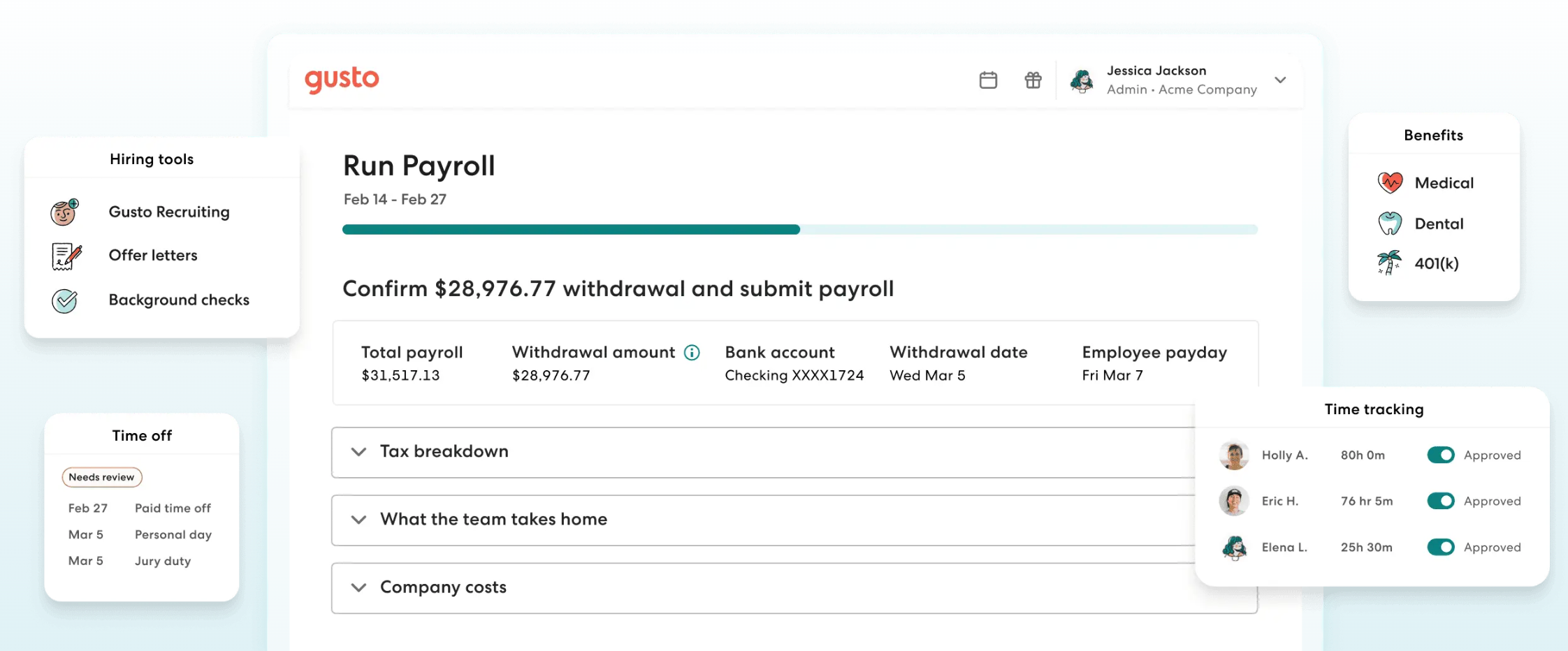
The biggest value is not one feature. It is that the weekly process is clear enough that payroll does not become a full-day project. Once setup is stabilized, runs are fast and predictable.
What It’s Actually Like To Use
First impression: the product is easier than legacy payroll systems, but you still need one clean setup pass. My advice is to treat onboarding like operations infrastructure, not a quick click-through.
The first run takes longer because you are validating employee records, taxes, and pay setup. After that, recurring runs are straightforward if your inputs are clean. The interface is clear, and team onboarding is less confusing than many alternatives.
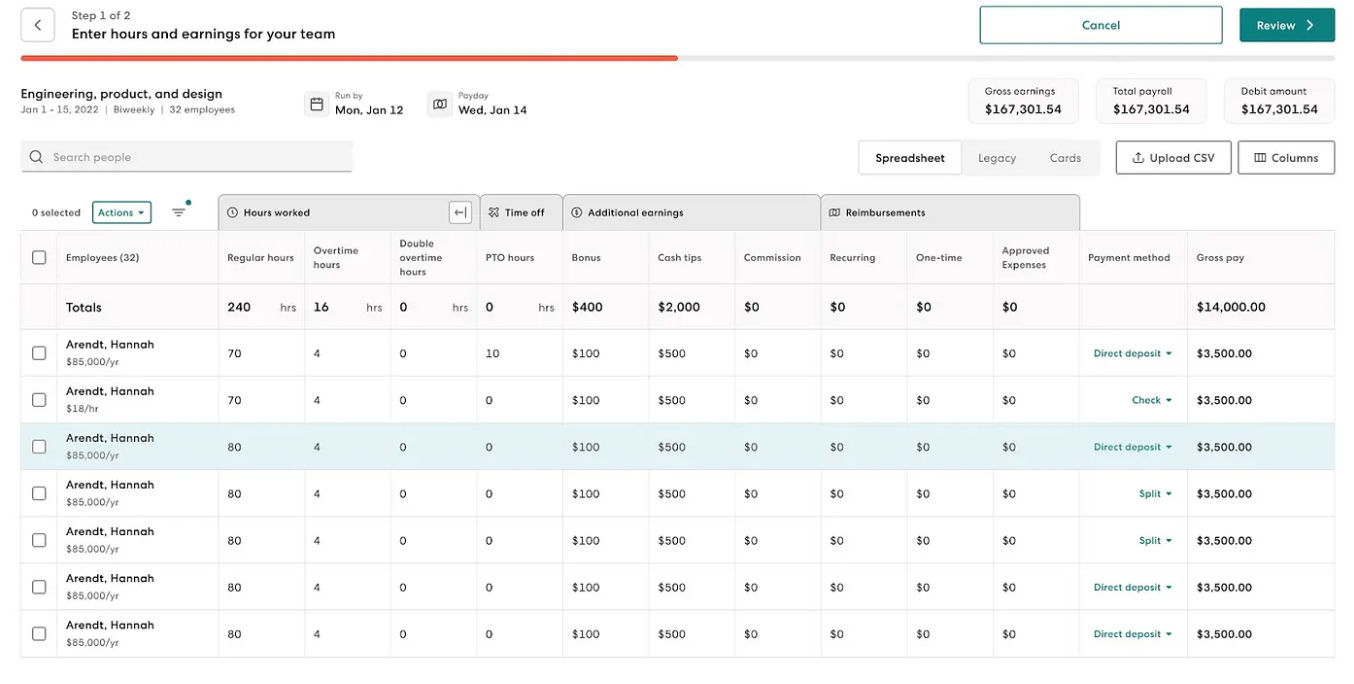
What confused us early was not the run button. It was ownership boundaries: who confirms hours, who approves final totals, and who reconciles payroll entries after submission. Once those owners were named, our payroll speed improved and week-to-week mistakes dropped.
Where Gusto stands out in daily use:
- payroll cadence is easy to repeat,
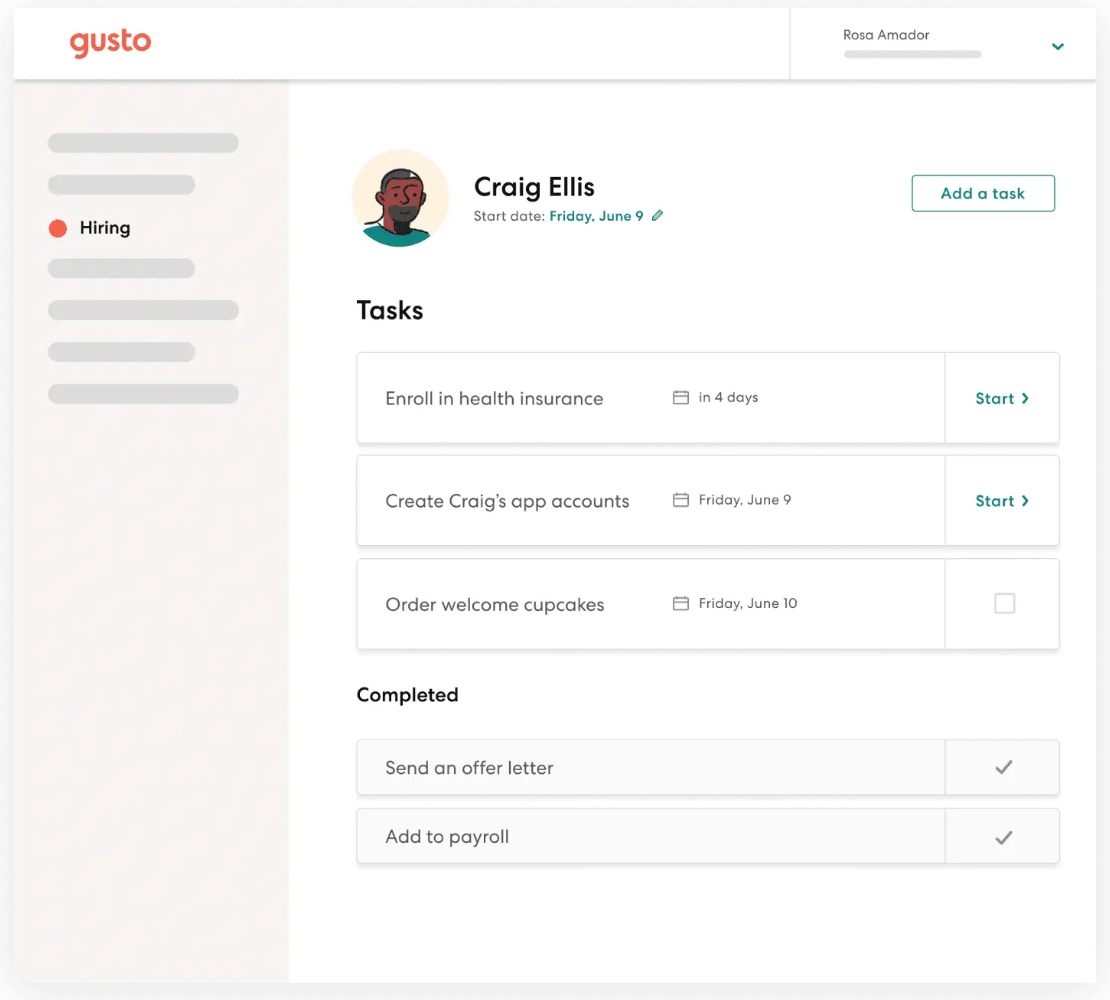
- onboarding tasks are visible enough to delegate,
- employee self-service reduces basic admin interruptions.
Where teams get tripped up is not usually the software itself. It is process discipline: late time inputs, unclear ownership, or trying to run payroll without a fixed operating rhythm.
Where Gusto Falls Short
Gusto is not perfect. The two main friction points are cost growth and edge-case depth.
As headcount rises, per-employee cost can feel heavier than you expected at the start. For many teams the time savings justify this, but it is still a real budget line item you need to track.
Second, highly specialized payroll/compliance scenarios can outgrow what a streamlined SMB platform should handle. If your operation starts looking like a complex multi-entity enterprise environment, you may need a different class of system.
Confusion points I see most often:
- owners assume setup quality does not matter after go-live,
- teams skip payroll quality checks once they trust the platform,
- bookkeeping handoff is treated as someone else’s problem.
Pricing and Value Caveats
For planning, use conservative ranges and verify directly before deciding. Typical SMB budgeting assumptions are a base monthly platform fee plus per-person cost.
The right way to evaluate Gusto cost is not only subscription price. Include:
- admin hours saved,
- fewer payroll mistakes,
- fewer employee trust hits from delays,
- cleaner downstream bookkeeping.
If payroll errors are currently expensive for your business, paying more for a system your team will actually run correctly can be the lower total-cost option.
Always verify current plan details and referral terms before signup. Pricing and offers can change.
One practical way to keep costs honest is to track payroll admin time monthly. If your team spends fewer hours fixing payroll and fewer hours answering avoidable employee pay questions, that productivity gain is part of the value equation, not a side benefit.
Choose This If / Skip This If
For head-to-head context, compare with ADP, OnPay, and the detailed Gusto vs ADP comparison.
If you want broader context beyond payroll, use the Complete Software Stack We Use.
Verdict + Next Reads
Gusto remains my default payroll recommendation for most service SMBs because it balances reliability, usability, and weekly operational consistency.
It is not the cheapest in every scenario, and it is not meant to be an enterprise complexity monster. It is best when your goal is to make payroll dependable with minimal admin drag.
If that is your situation, start with Gusto and run one clean setup sprint. Then evaluate alternatives only if your complexity truly outgrows this model.
If you are still uncertain, run a decision trial: map your current payroll process, estimate where time and errors occur, then compare that baseline with one month of disciplined Gusto usage. The decision becomes much clearer when measured operationally instead of emotionally.
Next reads:
Product Screenshots
Frequently Asked Questions
Is Gusto good for contractors?
Yes. Gusto can support contractor-heavy workflows, but verify current plan details and fee structure for your exact setup.
Does Gusto handle weekly payroll well?
Yes. Weekly payroll is one of the strongest practical use cases once setup is complete and your recurring process is dialed in.
Is Gusto expensive for small teams?
It can cost more than bare-bones tools, but many teams recover the difference through reduced admin time and lower compliance risk.
What happens if you miss payroll?
Missed payroll can create employee trust and operational issues. Gusto helps with consistency, but you still need internal payroll discipline.
Related Reviews
QuickBooks Online
Hands-on QuickBooks Online review for small service businesses: setup reality, reporting value, integration pitfalls, and when it is the right fit.
Visit Official Site
Jobber
Operator-focused Jobber review with real team workflow notes: role-based operations, location tracking, quoting flow, payments, and scaling limits.
Claim Jobber Bonus
ADP Run
ADP Run review for small business owners comparing complexity, pricing transparency, and fit versus simpler payroll tools.
Visit Official Site