field-service
Jobber Review 2026
Operator-focused Jobber review with real team workflow notes: role-based operations, location tracking, quoting flow, payments, and scaling limits.
Shanin
Last updated March 3, 2026
Founder of Iconic Landscaping, using these tools in real-world operations.
Pros
- ✓Strong request-to-quote-to-job-to-invoice workflow continuity
- ✓Role-based operations work well for growing service teams
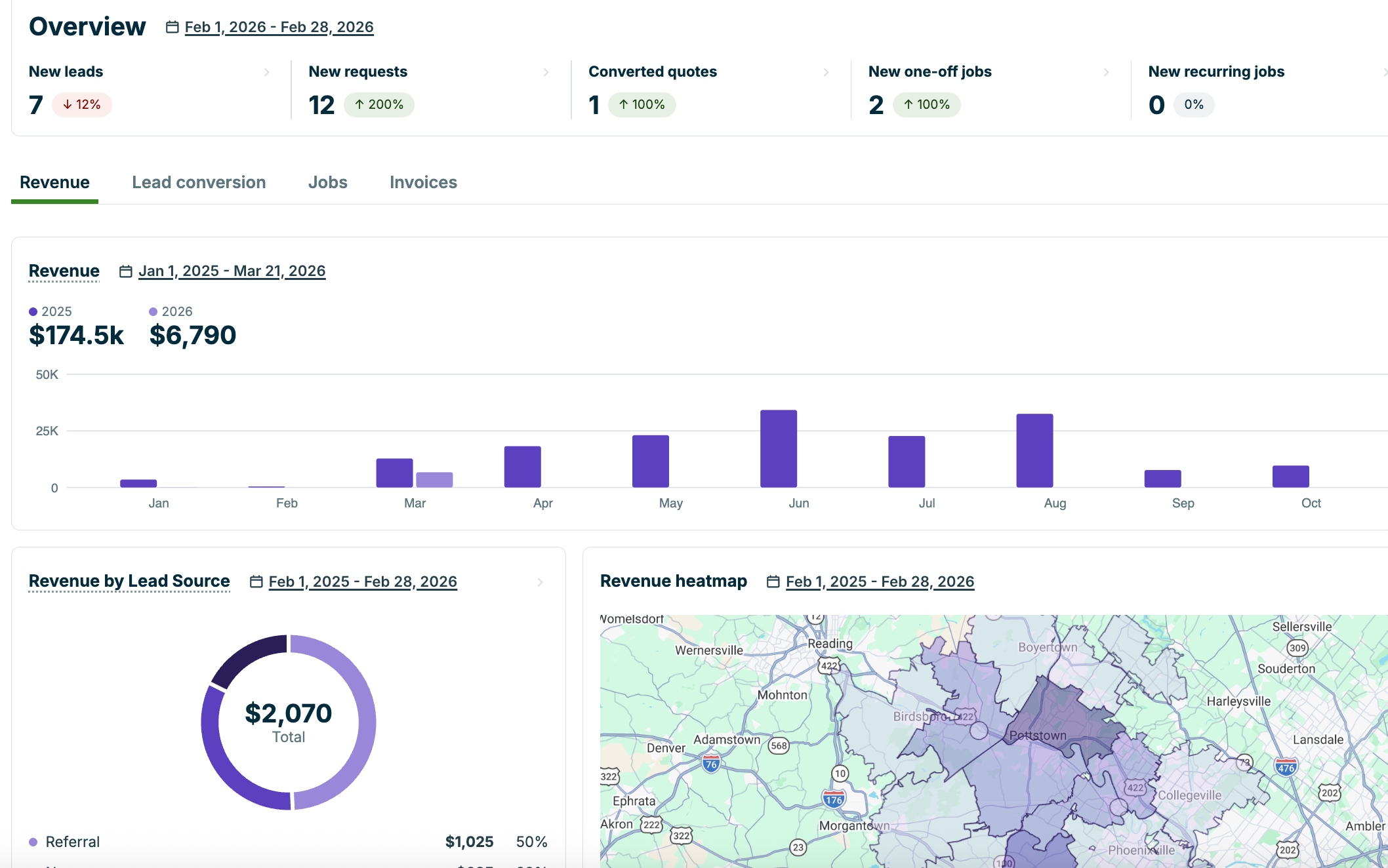
- ✓Location/time tracking and payment workflows improve operational control
Cons
- ✕Website builder customization depth is limited
- ✕Request form integration can require extra polish work
- ✕Automation communication channel behavior can create client-response friction
Who This Review Is For
This review is for service-business operators who need one system to organize lead intake, quoting, field execution, and invoicing without building a giant custom stack.
If you are running crews, team leads, quoters, and managers, Jobber can be a strong operating system. In our use, the value came from clarity of role ownership and cleaner handoffs across the workflow.
I do not look at Jobber as a generic CRM. I look at it as workflow infrastructure for field operations where execution quality and speed directly affect revenue.
“Jobber's best feature is not one screen. It's how clearly it moves work from request to cash collected.”
For service teams, handoff clarity is where most software either helps or hurts.
Usage Snapshot
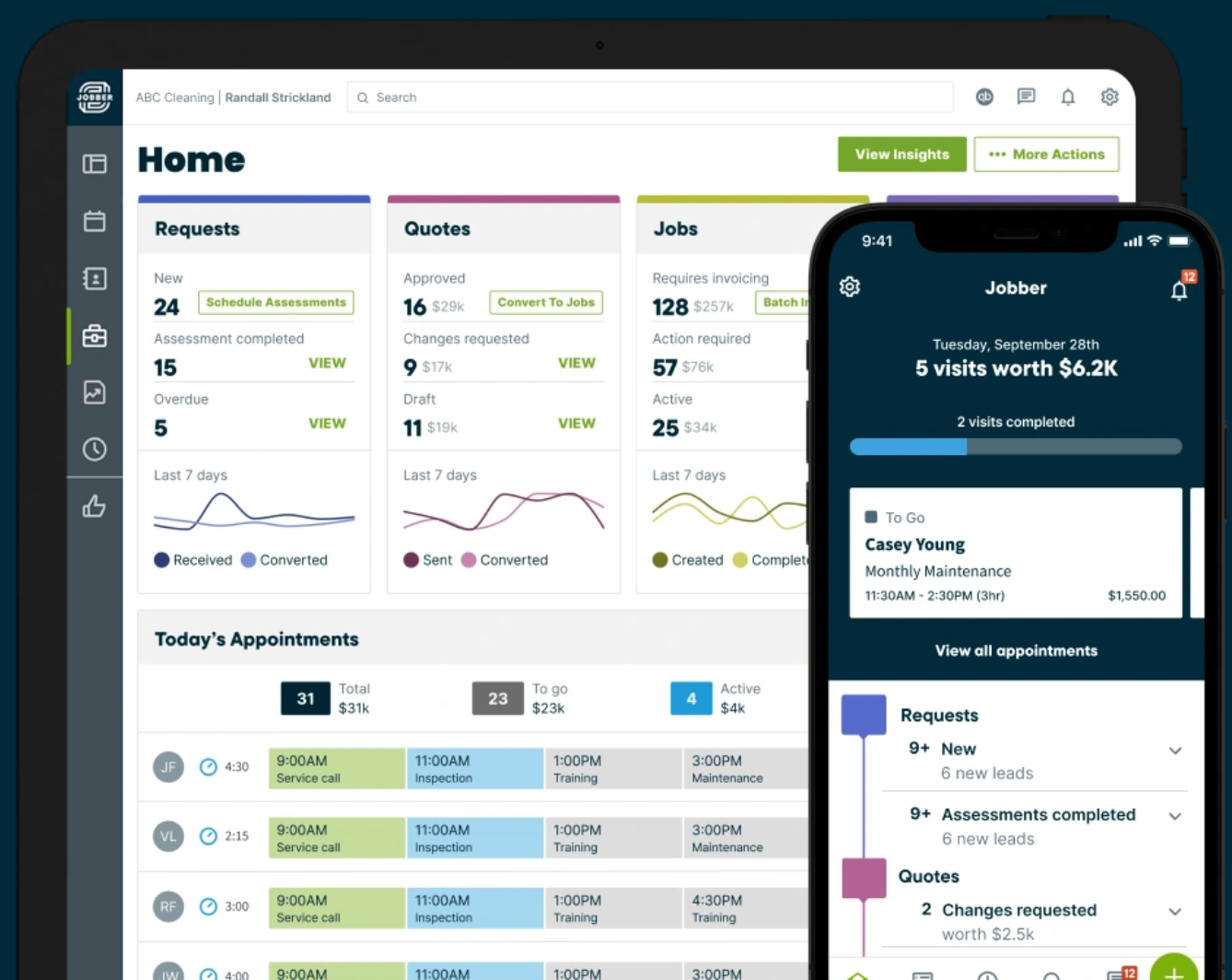
The platform worked best when each role had a defined lane. Team leaders focused on execution, quoters focused on speed and accuracy, and managers focused on financial and operational oversight.
What It’s Actually Like To Use
Setup is not hard, but the biggest win comes from process design. If you define your request, quote, scheduling, and invoicing sequence clearly, Jobber feels cohesive quickly.
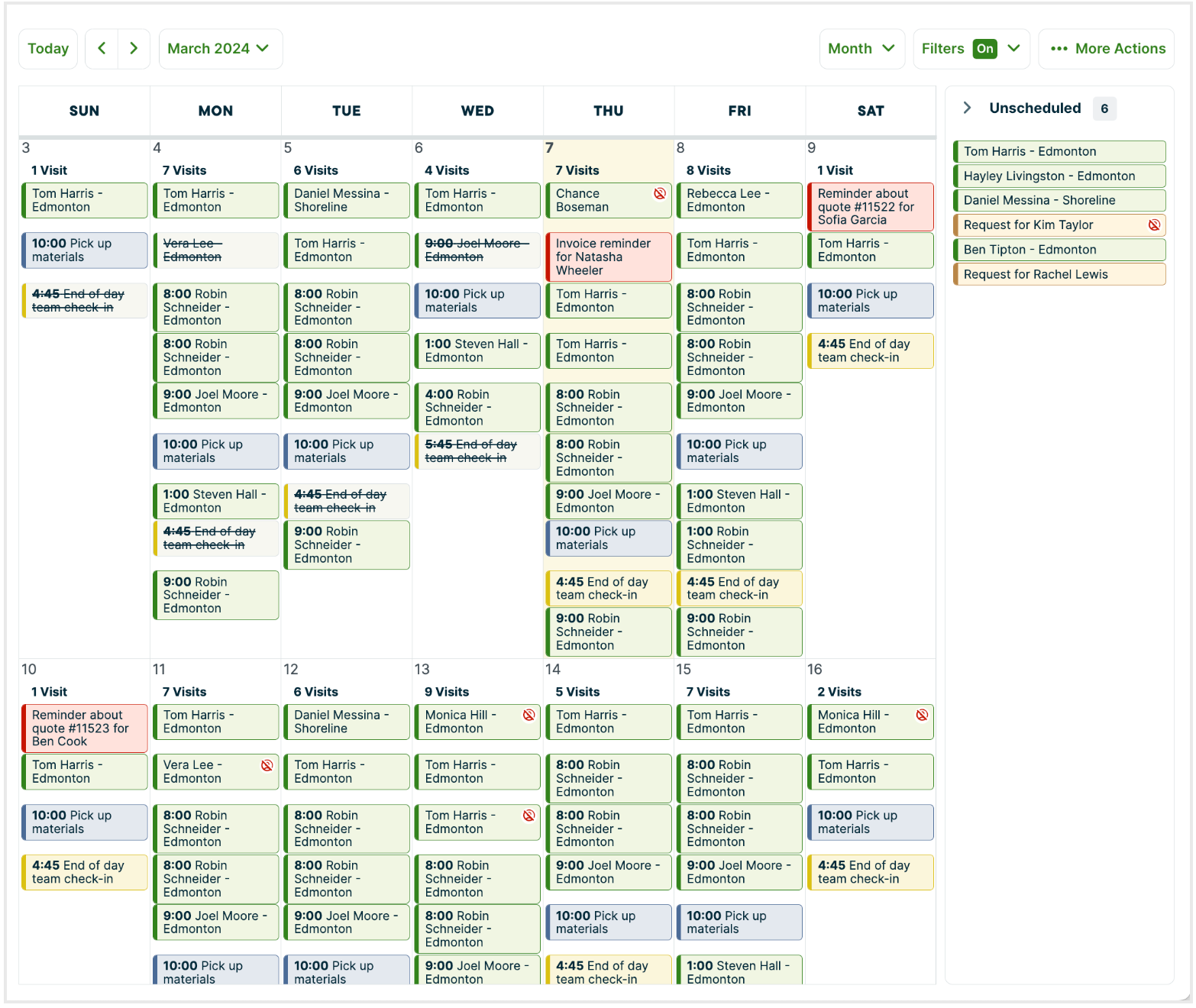
Day-to-day, the system is practical for collaboration. It is easy to separate tasks by role while still keeping one shared timeline for jobs.
Field usage was strongest where location and time tracking had to be automatic. That reduced manual time corrections and gave cleaner accountability for real crew movement.
For office managers, the biggest day-to-day win is visibility. You can quickly see where jobs are in the pipeline and identify bottlenecks before they become schedule failures. For field leaders, clear assignments and status updates reduce back-and-forth calls that normally eat execution time.
The request form pipeline is one of the highest-impact parts. A clean request flow can move a lead from form submission to quote to scheduled job without constant manual follow-up.
Where Jobber Falls Short
Jobber has real constraints you should know before committing.
The website builder is fast for simple pages, but customization is limited. If your marketing site needs deeper design control or advanced analytics, you may outgrow the built-in site experience.
Request-form embedding can also feel less clean than expected depending on your website setup. You can make it work, but it may need extra polish work.
A practical friction point in communication: quote follow-up messaging may come from a Jobber number rather than your primary brand number. That can create response handling confusion if your team is not monitoring that channel closely.
This is manageable, but it needs a process decision. If inbound replies from quote follow-up messages are not actively watched, you can lose speed exactly where buyers are trying to respond.
For very large organizations with highly complex, layered operations, Jobber can start to feel constrained. For most SMB-to-midmarket service operators, it is strong. For massive operational complexity, evaluate heavier systems.
Pricing and Value Caveats
Use conservative pricing assumptions and verify directly. Jobber value is less about cheapest subscription and more about operational throughput.
The key ROI drivers are usually:
- faster lead-to-quote conversion,
- better schedule execution visibility,
- less billing delay through deposit workflows,
- fewer dropped handoffs between office and field.
If your current stack is causing lead leakage or collection delays, workflow gains can outweigh software cost quickly.
Choose This If / Skip This If
For stack context, pair this with QuickBooks Review, QUO Review, and the communication-stage Google Voice vs Grasshopper vs QUO comparison.
See the full operating map in The Complete Software Stack We Use.
Verdict + Next Reads
Jobber is one of my strongest recommendations for service businesses because it helps teams execute work, not just store contacts. The workflow continuity from request to payment is where it consistently delivers.
It is not perfect for advanced website customization, and huge enterprise-level complexity may need something else. But for real SMB and growing teams, it is practical, collaborative, and high-impact.
If your business runs on field execution, Jobber is worth serious consideration as a core operations layer.
The deciding factor is usually this: are you trying to centralize operations into one repeatable flow or keep stitching together disconnected tools? If your goal is consistency and cleaner team execution, Jobber provides a strong operational backbone.
For teams in the $30K to multi-million range that still want practical software, Jobber usually lands in the sweet spot: strong enough to scale, simple enough to keep moving.
Next reads:
Product Screenshots
Frequently Asked Questions
Is Jobber good for landscaping companies?
Yes. Jobber is a strong fit for landscaping and similar field-service trades that need structured workflow from intake through invoicing.
Can Jobber handle team roles like quoters and managers?
Yes. Role separation is one of Jobber's practical strengths for SMB-to-midmarket service operations.
Does Jobber help with faster payment collection?
It can. Standardized invoice and payment workflows, including deposits, usually improve collection speed when implemented well.
Can Jobber replace accounting and payroll tools?
No. Jobber is excellent for operations, but most teams still use dedicated accounting and payroll systems.
Related Reviews
QuickBooks Online
Hands-on QuickBooks Online review for small service businesses: setup reality, reporting value, integration pitfalls, and when it is the right fit.
Visit Official Site
ADP Run
ADP Run review for small business owners comparing complexity, pricing transparency, and fit versus simpler payroll tools.
Visit Official Site
Gusto
Hands-on Gusto review from a service-business owner: setup speed, weekly payroll workflow, pricing tradeoffs, and when to choose alternatives.
$100 Visa Gift Card